
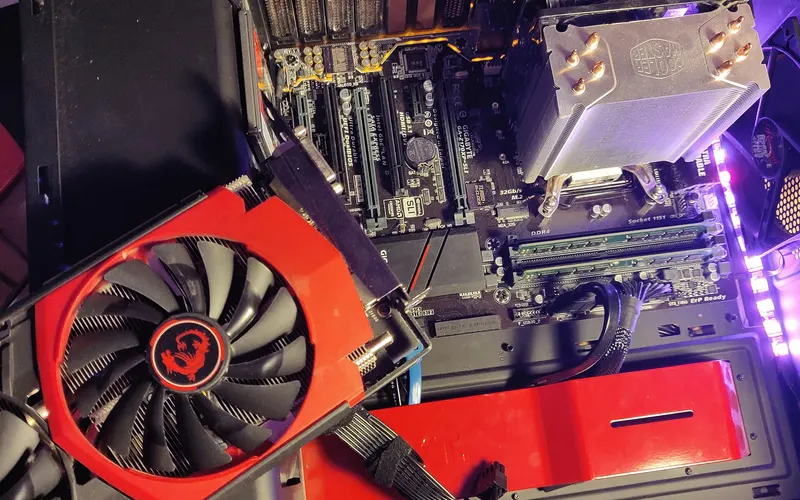
Computer Quiz
15 questions, one score, zero sign-ups. This Computer Quiz mixes easy and tricky questions, and every answer comes with a quick explanation.
15 questionsMixed (easy → hard)~3 minNo timer
Updated:
If you liked this

Trending today
 Bollywood QuizBollywood
 India GK Question Answer Quiz (Indian GK)General Knowledge
 Cricket World Cup QuizSports
 सामान्य ज्ञान प्रश्न (GK in Hindi Questions)Hindi
 Guess the FlagGeography
 Current Affairs Quiz (October 2026)Current Affairs
 Friends TV Series QuizMovies & TV
 KBC क्विज़ (KBC Hindi Quiz)Hindi
 F1 Quiz (Formula 1)Sports
 Naruto QuizAnime & Games
All Computers & Tech quizzes →
About this Computer quiz
This computer quiz tests the basics every student and job aspirant is expected to know: hardware and the CPU, input and output devices, memory types, number systems, computer generations, software, networking and online safety. The 15 questions start easy and get harder, ending with exam-style topics like cache memory, email protocols and data structures.
It suits school and college students, anyone brushing up on computer general knowledge questions for SSC, banking, railway or state exams, and adults who simply want to check what they know. Every question is a computer MCQ with four options, and each answer comes with a short explanation, so you learn the reason and not just the letter.
To get the most out of it, play once without help, note the questions you missed, then read the answer key and explanations below and try again a day later. If a topic keeps tripping you up, the related quizzes on this page cover computer GK, Python and other programming topics in more depth.
Fun fact: the word "computer" was a job title long before it named a machine. In the 1600s it meant a person who did calculations by hand, and teams of human computers were still crunching numbers for science and engineering well into the 20th century.
Computer questions with answers
Show answers
Which part of a computer is often called its "brain"?
- Monitor
- CPU
- RAM
- Hard disk
Answer: CPU. The Central Processing Unit carries out instructions and controls the other parts, which is why it is called the brain of the computer.
Which of these is NOT an input device?
- Keyboard
- Scanner
- Mouse
- Printer
Answer: Printer. A printer takes data out of the computer onto paper, so it is an output device. Keyboards, scanners and mice send data in.
What is the full form of URL?
- Uniform Resource Locator
- Universal Routing Link
- Unified Resource Link
- Uniform Region Locator
Answer: Uniform Resource Locator. A Uniform Resource Locator is the address of a resource on the web, such as https://www.example.com/page.
Who is known as the "Father of the Computer"?
- Alan Turing
- John von Neumann
- Charles Babbage
- Blaise Pascal
Answer: Charles Babbage. Charles Babbage designed the Analytical Engine in the 1830s, a mechanical machine with the basic parts of a modern computer.
In computing, 1 kilobyte (KB) is traditionally equal to how many bytes?
- 1000
- 1024
- 512
- 2048
Answer: 1024. Memory sizes follow powers of 2, and 2 to the power 10 is 1024, so 1 KB is traditionally 1024 bytes.
Which type of memory loses its contents when the power is switched off?
- ROM
- Hard disk
- Flash drive
- RAM
Answer: RAM. RAM is volatile memory: it holds data only while powered. ROM, hard disks and flash drives are non-volatile.
What is the binary form of the decimal number 10?
- 1010
- 1100
- 1001
- 0110
Answer: 1010. 10 = 8 + 2, so the bits for 8 and 2 are on: 1010. (1100 is 12 and 1001 is 9.)
In Windows, which keyboard shortcut undoes your last action?
- Ctrl + Y
- Ctrl + U
- Ctrl + Z
- Ctrl + X
Answer: Ctrl + Z. Ctrl + Z is Undo. Ctrl + Y usually redoes, Ctrl + X cuts and Ctrl + U underlines text.
Which generation of computers was built using vacuum tubes?
- Second
- First
- Third
- Fourth
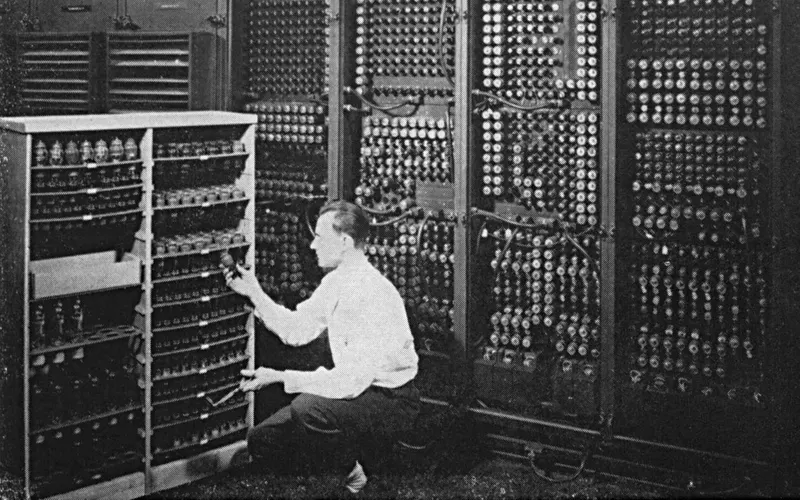
Answer: First. First-generation computers (1940s-1950s) used vacuum tubes. Transistors came in the second, integrated circuits in the third and microprocessors in the fourth.
Which of these is system software rather than application software?
- A word processor
- A spreadsheet
- A photo editor
- An operating system
Answer: An operating system. An operating system manages the hardware and runs other programs, so it is system software. The others are applications used for specific tasks.
The hexadecimal number system has which base?
- 16
- 2
- 8
- 10
Answer: 16. Hexadecimal uses 16 symbols, 0-9 and A-F. Binary is base 2, octal base 8 and decimal base 10.
Which small, very fast memory sits between the CPU and main memory to speed up access to frequently used data?
- Virtual memory
- Secondary memory
- Cache memory
- Flash memory
Answer: Cache memory. Cache memory keeps copies of data the CPU uses often, so it does not have to wait for the slower main memory (RAM).
Which protocol is mainly used to send email across the internet?
- FTP
- SMTP
- HTTP
- DHCP
Answer: SMTP. SMTP (Simple Mail Transfer Protocol) sends and relays email. FTP transfers files, HTTP loads web pages and DHCP hands out IP addresses.
A fake email that pretends to be from your bank and asks for your password is an example of what?
- Spooling
- Debugging
- Caching
- Phishing
Answer: Phishing. Phishing tricks people into revealing passwords or card details through messages that look genuine. Banks never ask for your password by email.
Which data structure works on the LIFO (Last In, First Out) principle?
- Stack
- Queue
- Array
- Linked list
Answer: Stack. In a stack the last item pushed is the first popped, like a pile of plates. A queue is FIFO (First In, First Out).
Frequently asked questions
Where can I find computer questions with answers?
Right on this page. After you finish the quiz, open the answer key below to see all 15 computer questions with the correct option and a one- or two-line explanation for each. The related quizzes listed further down give you more computer GK and programming practice.
Is this computer quiz useful for competitive exams?
Yes. The questions cover topics that appear often in the computer awareness section of SSC, banking, railway and state-level exams, such as memory types, number systems, generations of computers, full forms and internet protocols. Use it as a quick revision check alongside your regular study material.
How many questions are in this computer quiz?
There are 15 multiple-choice questions, each with four options. They move from easy basics to harder exam-style questions, and most people finish in about five minutes.
Can I play the computer quiz online for free without signing up?
Yes. The quiz is completely free and needs no login or sign-up. Just press start, answer the questions and see your score instantly. You can also share your result with friends.